Alert popups
A popup for each new alert. When a warning has a storm motion, it lists the towns in the path and roughly when the storm gets to each.
Put live NWS warnings on your stream or in your videos: alert popups, a radar map that jumps to each new warning, a full broadcast layout in one OBS source, and a remote panel so you can run it all without touching OBS. Built for US weather streamers, storm chasers and weather channels.
Stream elements were rebuilt in v0.0.60 and extended in v0.0.63. Use one, or use all of them.
A popup for each new alert. When a warning has a storm motion, it lists the towns in the path and roughly when the storm gets to each.
A radar map that zooms to every new alert on its own. Show it as reflectivity or velocity.
The live warnings radar map from the app, with every active warning drawn on top, available as a stream overlay.
An overlay that takes over the screen for the most serious alerts. You can pause it from the Streamer Remote.
An alert ticker with a bar height you can set, running alert counts, and an SPC risk widget.
An overlay for your social handles, so people know where to find you while the radar is up.
Warnings on screen as the NWS issues them, with towns in the path and arrival times.
A map that follows each new warning, and a remote you can run from a second screen.
Ticker, counts, SPC risk and a clock in one layout, with a frame that follows the top alert.
Alerts are saved locally, so you can review an event and build the recap afterwards.
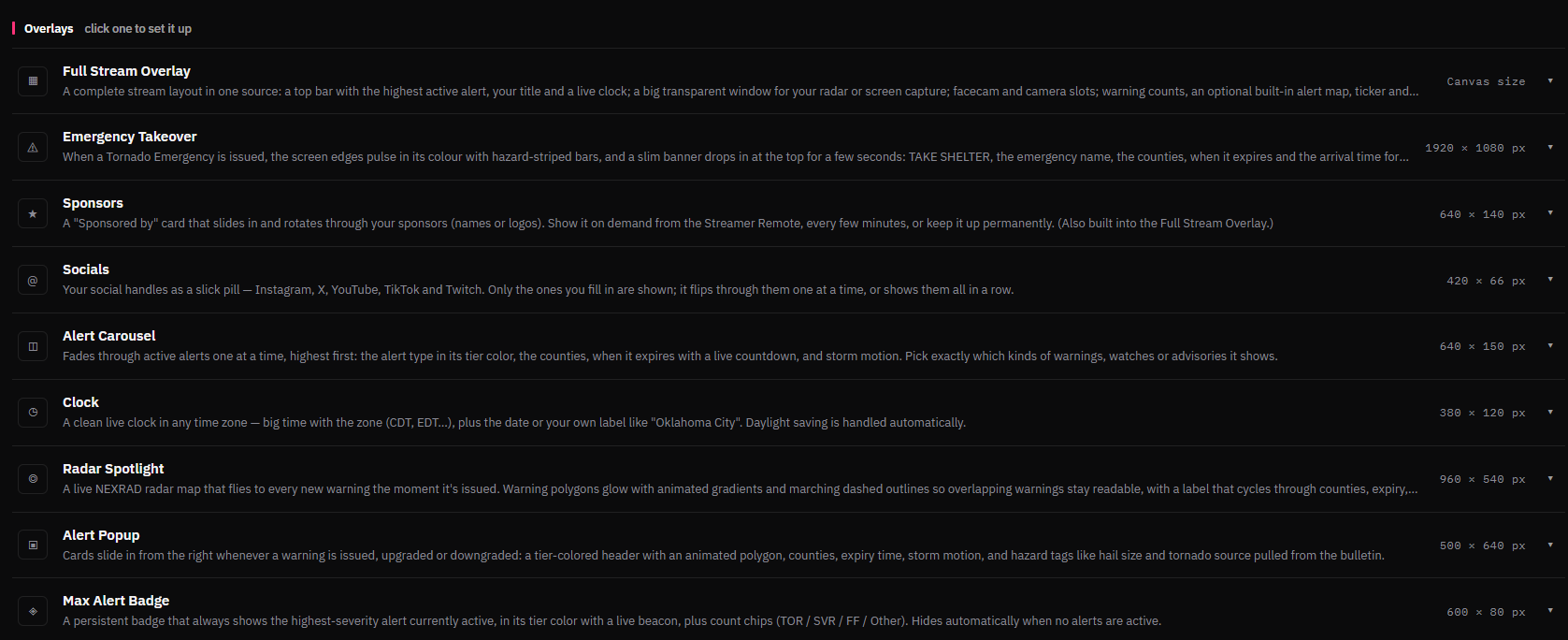
Choose an element in the app and add it to OBS as a source. Click any image to see it full size.
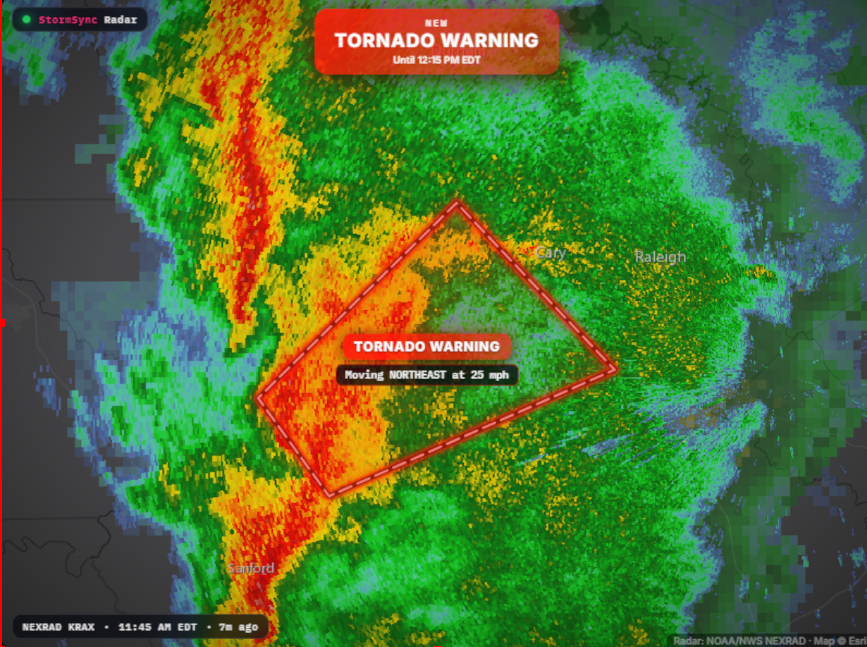
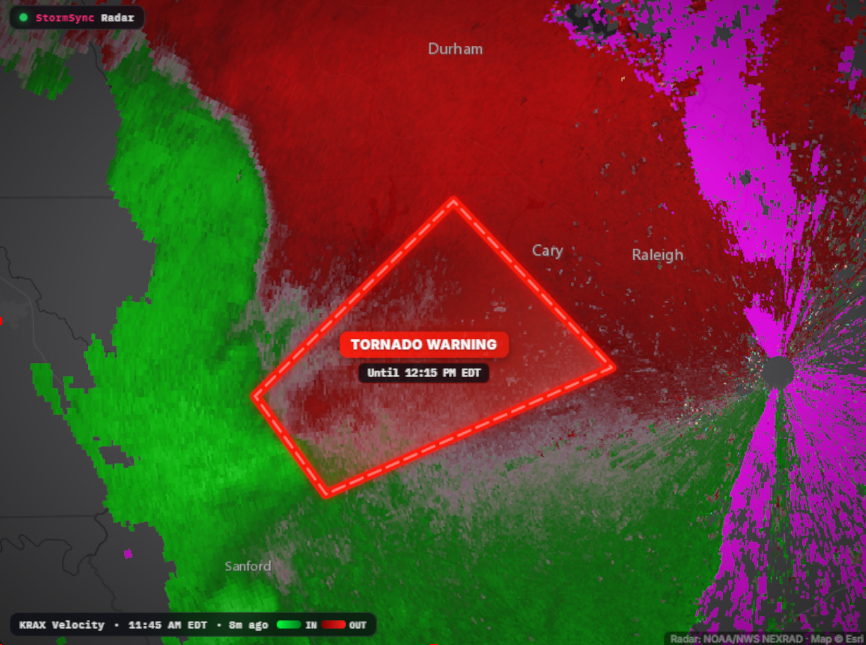
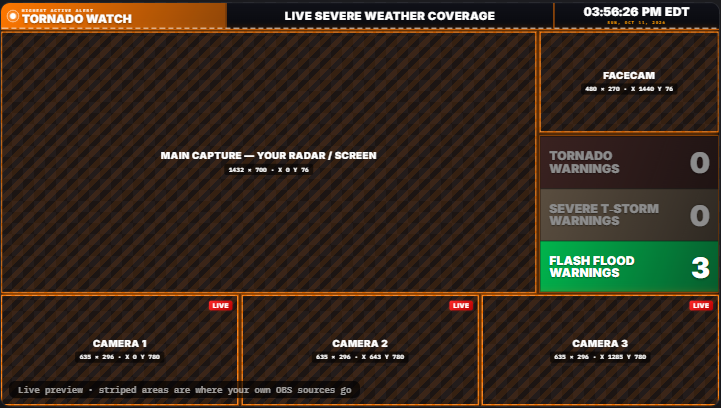
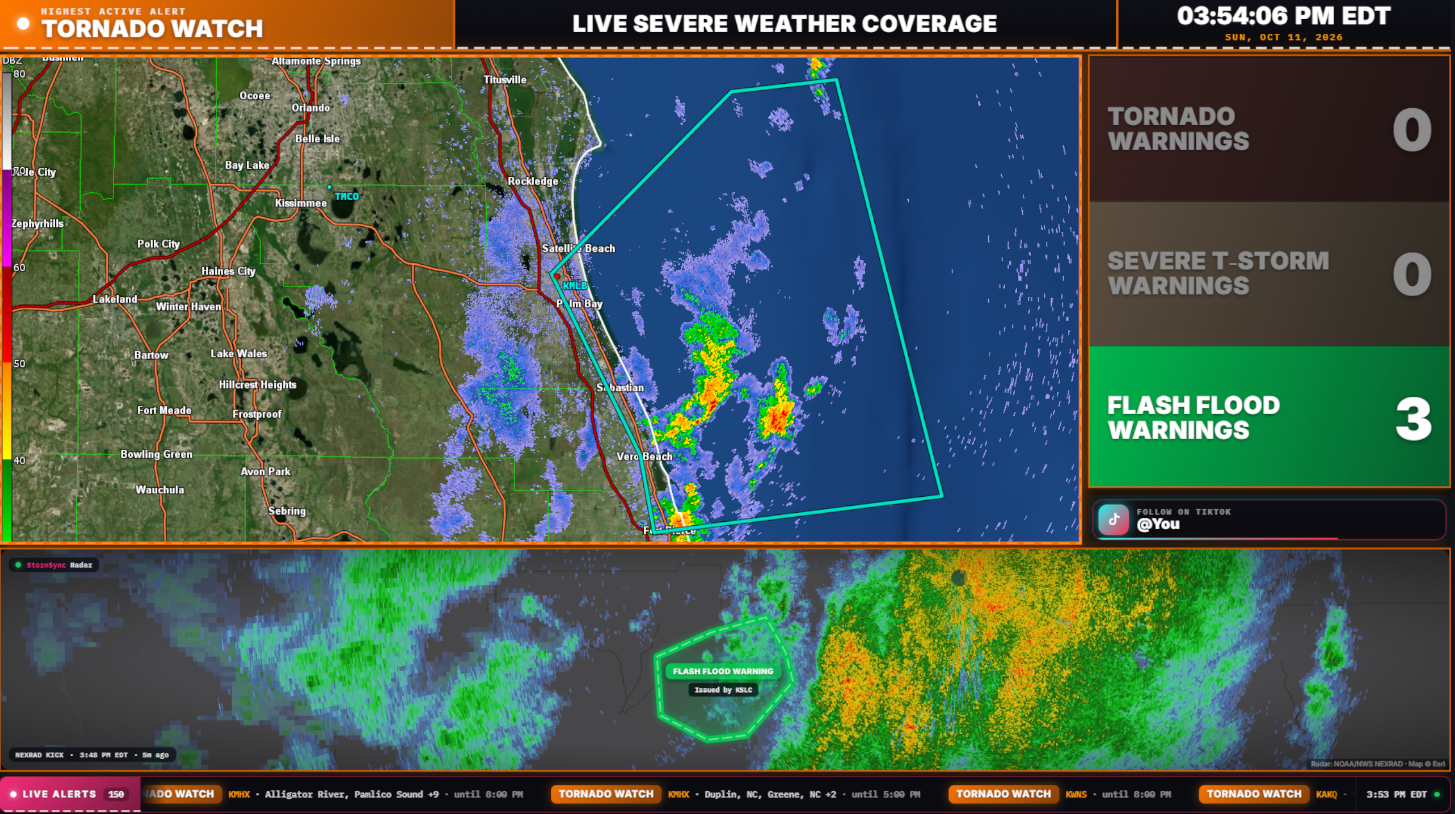
The Full Stream Overlay is a complete layout in a single OBS source, with slots for radar, your facecam and extra cameras, plus a built-in alert map, counts, SPC risk, popups, a ticker and a clock. The frame takes the color of the highest active alert. Start from the default template, then add what you want and remove what you do not. There are placement guides, and a Reset to Default button if you get lost.
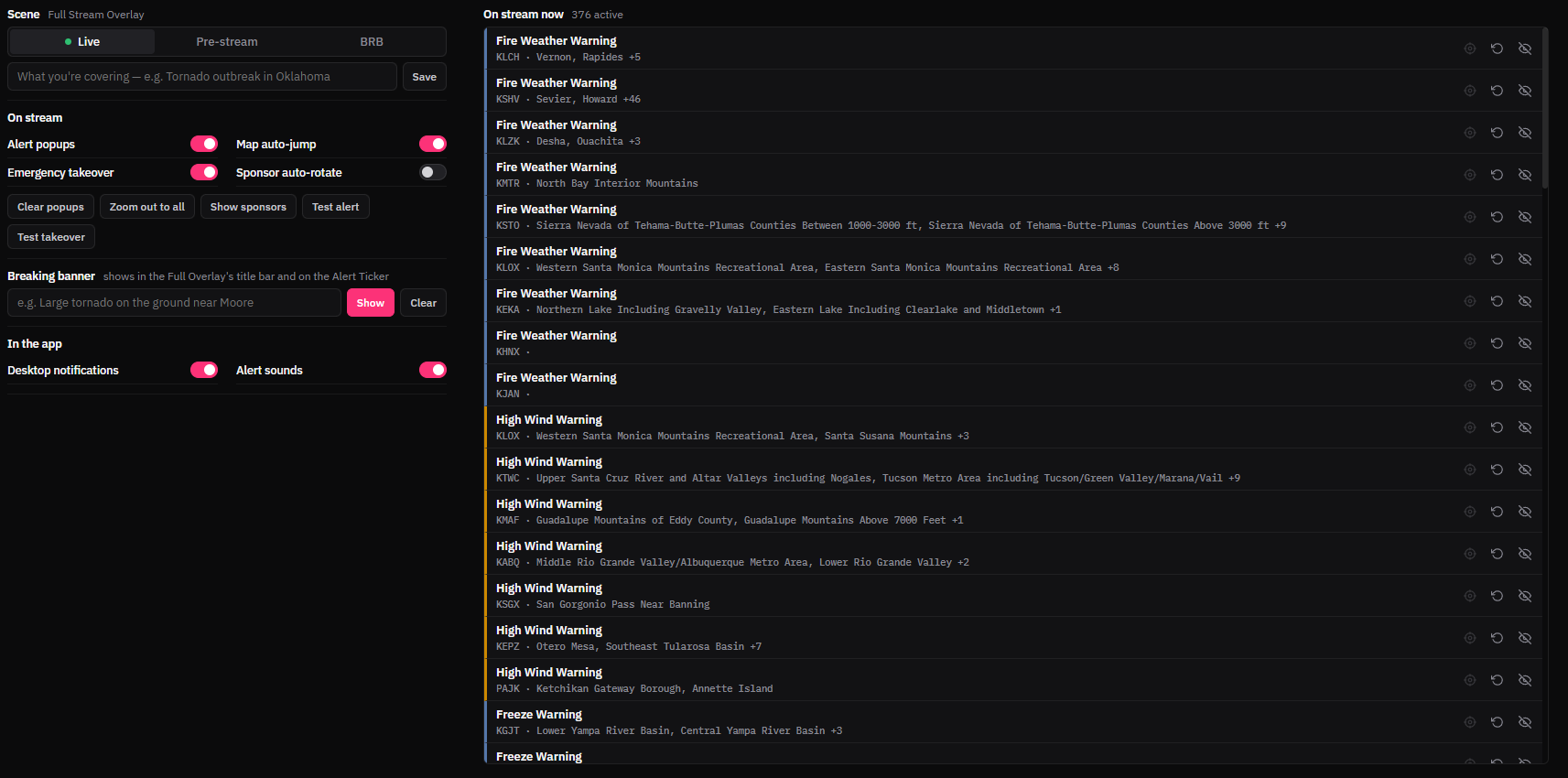
The Streamer Remote is a control panel inside StormSync. Pause popups, map auto-jump and the Emergency Takeover, spotlight a particular alert, re-announce or hide one, clear the popups, zoom out to everything, or post a breaking banner. Every alert currently on stream is listed with its own controls.
It can sit in a tab, float, or dock to the side of the window, so it stays handy on a second monitor.
Use the app's test alerts to see how everything looks. They are never saved, and they are cleared from your stream when you log out. There is also an option for whether a test alert moves your stream map.
After an app restart, your overlays pick up the warnings that are still active.
You can use StormSync and its stream elements on your streams and videos at no cost, monetized or not, and you do not have to ask. If you want to say thanks, a mention helps the project more than you would think.
Any simple credit works, for example in your stream description, on a panel, or on screen:
Alerts by StormSync VT/OI · stormsyncapp.com
Customize the elements as much as you like inside the app. What is not allowed is taking a stream element out of the app, copying it, and modifying it somewhere else without my permission. If you want something custom, ask me and we can talk about it.
The full wording is in the terms of use.
Download StormSync, pick Central Feed, and start with the default stream template. If you get stuck, email me and I will help.